


A slow website does not just feel a bit dated. It costs attention at the exact moment a potential customer is deciding whether to call, enquire or buy. If you want to improve website loading times, start by treating speed as a commercial issue, not a technical nicety.
For a local service business, a delayed page can mean a visitor returns to Google and rings the next firm on the list. For an online shop, it can mean an abandoned basket before the customer has even seen the product properly. No smoke, no shortcuts: faster sites tend to create better first impressions, stronger engagement and fewer barriers to conversion.
Why website speed affects more than Google
Search visibility matters, and site performance is one of the signals Google uses when assessing page experience. But obsessing over a perfect test score while ignoring the actual customer journey is a mistake. A website can score brilliantly in a lab test and still feel clumsy because its navigation is confusing, its forms are awkward or its key pages are buried.
The useful question is simpler: how quickly can a real person on a real mobile connection see the page, understand the offer and take the next step?
Most visitors will encounter your website on a phone, often while away from reliable Wi-Fi. A large hero image, a pile of unnecessary scripts or an overloaded product page has a bigger impact there than it does on a fast office broadband connection. Speed work should focus on the pages that bring in enquiries or revenue, not just the homepage because it is the one everyone notices.
Start with evidence, not guesswork
Before changing anything, test the site and identify where the delay is coming from. Check the homepage, a core service page, a contact page and, for ecommerce sites, a category page, product page and checkout. Performance can vary wildly between templates.
Look at how long the main content takes to appear, whether the layout jumps around while loading, and whether the site responds promptly when someone taps a button or opens a menu. These are more useful clues than chasing a single score.
A few common patterns crop up again and again:
- Oversized images are being served straight from a camera or stock library.
- WordPress plugins are loading code on every page, whether that code is needed or not.
- Cheap or poorly configured hosting is slow to respond before the page even begins loading.
- Decorative animations, pop-ups, chat tools and tracking scripts are competing for the visitor’s device.
- A heavy page builder or outdated theme is producing far more code than the design requires.
None of these automatically means the website needs rebuilding. Equally, adding a caching plugin and hoping for the best will not fix a site with structural problems.
Improve website loading times where it counts
Put images on a sensible diet
Images are often the biggest files on a business website, and they deserve attention first. That does not mean making everything blurry. It means exporting images at the dimensions they will actually display, compressing them carefully and using modern formats where appropriate.
A full-width banner needs a larger file than a small team portrait. A product gallery needs enough detail for buyers to inspect the item, but it does not need to send a 5MB original photograph to every mobile visitor. Good image handling preserves visual quality while cutting waste.
Also avoid loading every image at once. Images further down the page can load as the visitor scrolls, while the first visible image should be prioritised. Be careful with sliders, too. They look busy, but several high-resolution slides loading together are rarely helping the sale.
Be ruthless with plugins and third-party extras
WordPress gives businesses flexibility, but every plugin should earn its place. A plugin may add styling, database queries or JavaScript that runs across the whole site. Ten small conveniences can turn into one slow, temperamental website.
Audit what is installed. Remove plugins that are inactive, duplicated or no longer necessary. Review the active ones with a practical mindset: does this feature support an actual business need, or is it there because someone thought it might be handy?
Third-party tools need the same scrutiny. Cookie banners, analytics, maps, embedded social feeds, video players, review widgets and chat software can all add delay. Some are worthwhile. A map may help customers find your premises; a review tool may build trust. The trade-off is whether the benefit justifies the performance cost, especially on pages where speed is critical.
Choose hosting that matches the job
Hosting is not glamorous, but it sets the floor for how responsive your website can be. If the server takes ages to process a request, no amount of front-end polishing will make the site feel quick enough.
Very cheap shared hosting can be fine for a small brochure site with modest traffic. It is less suitable for a WooCommerce shop, a site with lots of logged-in users, or a business running regular campaigns that create traffic spikes. These sites need enough server resource, sensible caching and a provider that understands WordPress rather than treating it as an afterthought.
Do not pay for the most expensive package simply because it sounds impressive. Match the hosting setup to the site’s complexity, traffic and revenue reliance. The right answer depends on the job.
Cache the repeat work
Caching stores parts of a page so the server does not have to rebuild everything from scratch for every visitor. Done well, it can make a noticeable difference to standard WordPress pages.
There are limits. Cart, checkout and account pages need to stay personal and up to date, so they should not be cached in the same way as a service page. The wrong setup can cause confusing ecommerce behaviour, such as shoppers seeing an old basket or stock information that is no longer accurate. This is why performance changes should be tested properly, not pushed live on a Friday afternoon and forgotten about.
Keep the design focused
A fast website is not an excuse for a dull one. Strong photography, clear brand character and polished motion can all have a place. The problem starts when visual effects are added by default rather than used to support a message.
Autoplay videos at the top of every page, elaborate transitions and animations that delay content may look clever in a design presentation. They are less clever if they prevent a customer finding your phone number, pricing information or add-to-basket button.
Build pages around the action you want people to take. Let the most useful content load first. Then add visual detail where it gives the user confidence or helps explain the offer.
Do not forget the back end
Website performance can deteriorate over time. Old revisions, abandoned forms, bloated databases and expired plugin settings create background clutter. Regular maintenance keeps that clutter from becoming a bigger problem.
Updates matter too, but they should be handled with care. Updating WordPress, themes and plugins improves security and can improve performance, yet compatibility issues do happen. Back up the site, test key journeys and check mobile pages after significant updates.
For ecommerce, test the things customers actually do: search for a product, filter a category, add an item to the basket, apply a discount code and complete checkout. A speedy homepage is not much comfort if the purchase journey stalls at the final hurdle.
Measure the outcome in business terms
After making improvements, compare page speed before and after, but look beyond the technical reports. Are more visitors reaching the enquiry form? Has the checkout completion rate improved? Are fewer people leaving key landing pages immediately?
Traffic sources matter here. Someone arriving from a branded search may be more patient than someone clicking an advert or comparing several local suppliers. A faster landing page gives that less-committed visitor fewer reasons to disappear.
Speed is not a one-off tidy-up. New content, new plugins, product images and marketing tools can slowly add weight back onto the site. Set a simple routine to review performance, particularly after a redesign, major campaign or ecommerce update.
Your website should make it easy for a customer to choose you, not ask them to wait while it gets itself together. Fix the biggest friction first, protect the improvements, and let the site get on with the job it was built to do.
See it in practice
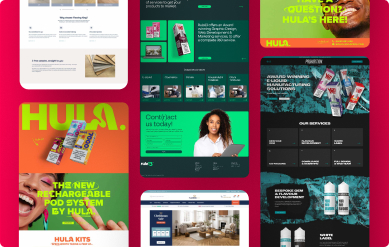
Performance matters most when a site has to work hard. Flooring King’s WooCommerce store needed to compete at the top of a crowded retail market, so the build had to hold up under serious traffic and convert well.
They set out to reach one million pounds in online sales in two years and reached seven million. Read the Flooring King case study.

Keep Reading
Related Articles
 Web Design
How to Audit Website Content That Isn’t Pulling Its Weight
Learn how to audit website content, spot wasted pages and turn useful information into clearer journeys, stronger rankings and more enquiries, over time.
Read Article Web Design
Conversion Rate Optimisation That Gets Enquiries
Conversion rate optimisation turns more website visitors into enquiries and sales. Learn what to fix first, without wasting your budget or time on guesswork.
Read Article Web Design
How to Brief Web Designers Without Wasting Time
Learn how to brief web designers with clear goals, useful content and honest priorities, so your new website looks credible and earns its keep properly.
Read Article